



The Specifier is an MCAD tool for specifying structural-assemblies.
A structural-assembly is specified in terms of it's component parts and construction processes for connecting these parts. These processes can be implemented in an associated production facility called a Unit-construction-hub, also specified using The Specifier.


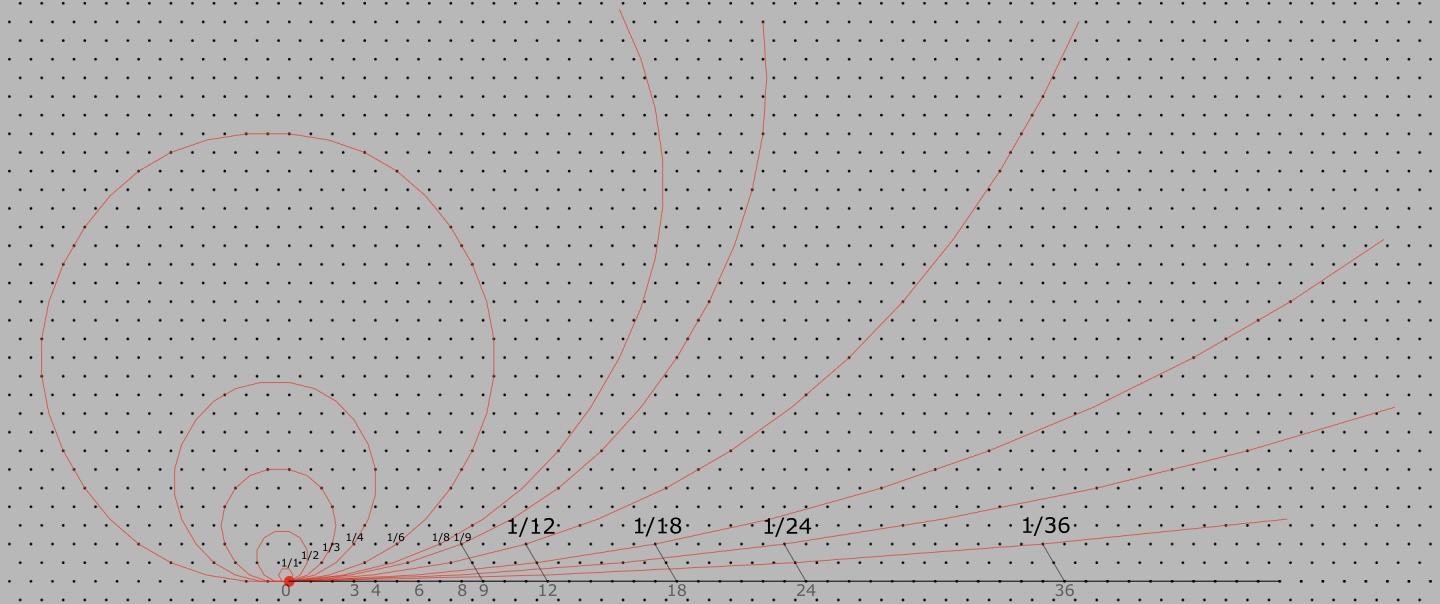 Curves rendered on a hex-grid using integral ratio identifiers.
The Specifier uses a hexagonal-grid as a basis for spatial representation.
This simplifies the specification of 3D objects and their spatial associations.
Existing tools do not use a grid for spatial representation.
This makes the specification of curves and 3D surfaces complicated.
The Specifier is designed for efficient control over curve and surface specification.
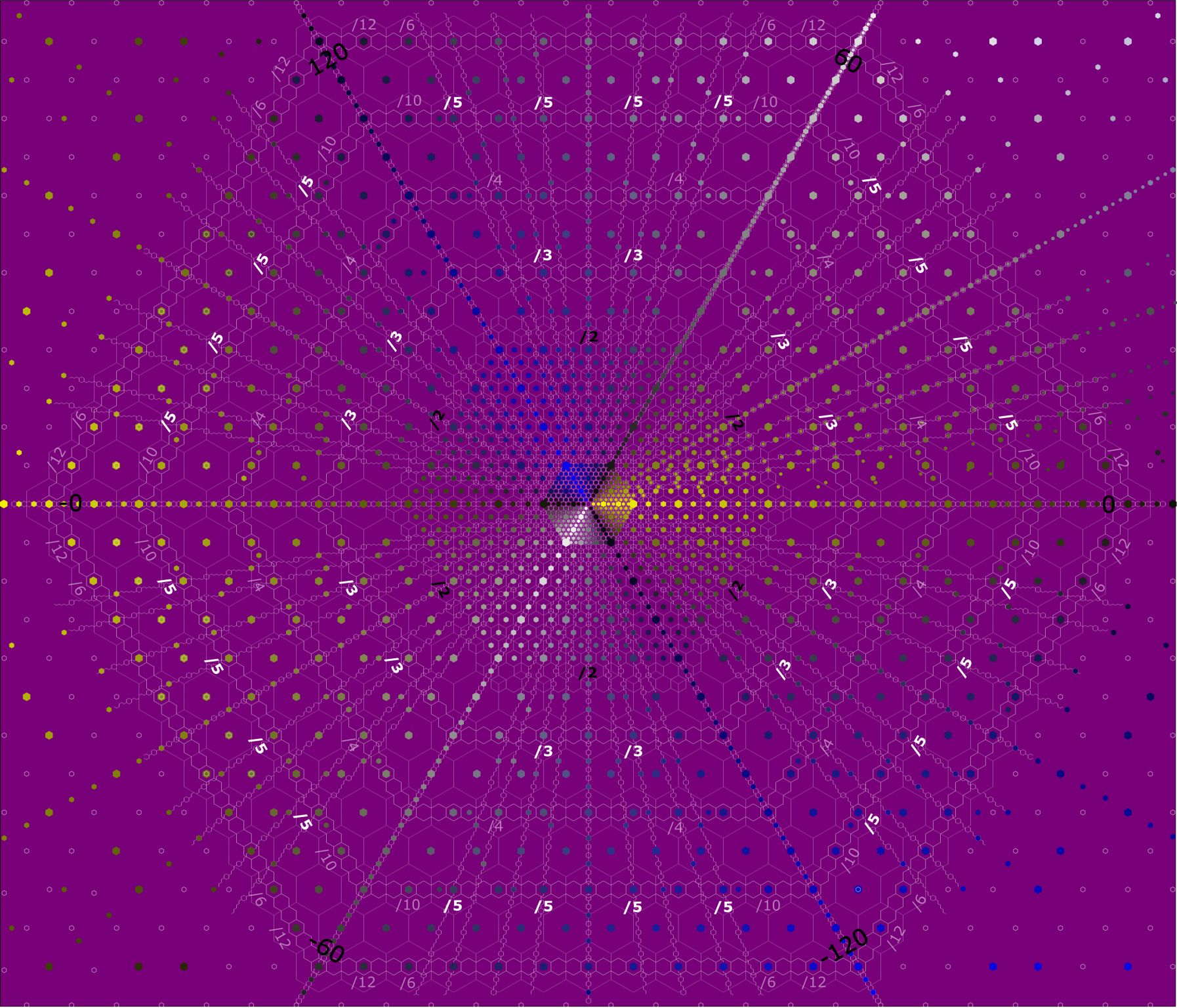 Illustration of a hexagonal grid on a 2-D plane.

The Specifier includes the ability to do some ergonomic modeling of the user of the design.
This is a neccesary part of the specification of any structural-assembly that will be used by a human user.
It also helps in the description of a construction process.

- Current status
We are in the process of creating a first prototype. This prototype will demonstrate the specification process for a bicycle-wheel and then a bicycle-stabilizer structural assembly. - Plans
- Create specifications for past land-vehicle design modifications using the tool.
- Create distributable apps for MacOS, Windows and Linux.
- Create a version of the app for an iPhone-based laptop platform.

Khitchdee Design ( ) plans to license The Specifier to industrial-designers and prototype developers.
We also plan to license the Specifier's hex-grid based geometry modeller to other CAD tool developers.
) plans to license The Specifier to industrial-designers and prototype developers.
We also plan to license the Specifier's hex-grid based geometry modeller to other CAD tool developers.


A (design-specification) Visualiser implements perspective-correct display-screen mapping of modelled 3D objects.
Our visualiser models a camera with a location and orientation,
and a single light source, at the same orientation and location as the camera.
We represent a 3D object as its outer surface, a lattice of 3D planar segments.
These 3D planar segments are described very simply on a hex-grid.
We map these 3D planar segments onto a 2D screen using 4-point plane-mapping.
A curved plane (in 3D) is modelled as a lattice of flat hex-grid planes.
Our visualiser uses only the device's (2D) drawing engine,
and targets a visualisation time of 100ms/frame
for a bicycle-model at 4K resolution on an Snapdragon 8 Gen 5 SOC class device.

There are 2 aspects to the specification of a land-vehicle design.
-
A structural specification:
A static description of the built up structure of a design. It includes a specification of each part in a design, how the parts connect with each other, and a structural model of the user (if applicable). -
A construction-process specification:
Specifies the construction-process of a design. How each component in the design is contructed and how the components are put together to produce the design. This is useful for an assembler or a fabricator.

We plan to produce a construction-processes specification component after the structural specification component. The designer will identify several construction states in the construction process. Each construction state will be a physical model of the relative placement of the components and tools in the process. The designer will indicate transitions between construction states. The construction-process specifier will use these construction states and transitions between them to create an interpolated sequence of models to be visualised. This sequence will be visualised using the Visualiser with some animation controls.

After the mouse and keyboard specification interface, we plan to produce an additional interface to improve structural specification input efficiency. This interface will work as follows:
- A designer loads photographs of a real object into the app (with a description of the approximate camera parameters used in taking those photographs).
- Identifies (in terms of 2D point descriptions) the components in the structure of the object in the photograph.
- For each component, they describe its 3D orientation and size, based on physical measurements.

A bicycle is specified as a primary frame and components, attachment mechanisms between them, and additional braking and gear-ratio control systems.
-
The primary frame and components.
-
A frame consisting of:
- A head-tube, top-tube, down-tube and seat-tube.
- A seat-stay and a chain-stay at the back.
- A bottom bracket at the base of the frame.
- Connectors that connect the parts in the frame.
- The front fork and handle-bar
- The chain-drive consisting of:
a chain crank and pedals
a freewheel
a chain - The front-wheel, front-wheel spindle and tire
- The rear-wheel, rear-wheel spindle and freewheel attachment, and tire.
-
A frame consisting of:
- Attachment specifications between the primary frame and components.
-
The braking system and optional gear-ratio control systems.
- A braking system and its attachment mechanism
- A gear-ratio control system and its attachment machanism